Pacifist
Resolve encounters without killing. Look for clues in your opponents’ dialogue, make use of ACT, and keep dodging until you can use MERCY. If this is the route you want, approach every encounter with that goal from the start.
Follow Clover into the Underground in a fan-made prequel to Undertale. Dodge monster attacks, solve puzzles, and decide who to spare.

Keyboard recommended
The first load may take a few minutes. Click inside the game to focus the keyboard.
The keyboard handles both exploration and battles. Movement changes from walking Clover around a room to steering the yellow SOUL inside the battle box.
Check the game’s configuration screen if you use a non-US keyboard or have remapped a key. Confirm and cancel are worth testing before starting a new run, since those same keys come up in dialogue and menus.
When a shot is available, follow the battle prompt. Some mechanics only appear in later encounters. The first few rooms are a chance to learn movement, dialogue, and the rhythm of enemy turns.
Select Play in the game player and wait for the port to initialize. When the title screen appears, click inside the game and press the confirm key. Use the player’s Fullscreen button when you want more space to see the battle box. Select Exit fullscreen to return to the page. Changing display mode keeps the same game session running.
The first start can take longer because the browser fetches game files. If the frame stalls, try again before starting a run. The new-tab option can help when your browser restricts third-party frames or storage. Once you have an active run, save in-game before reloading or changing tabs. Separate browsing contexts can have separate saves.
If the title screen is visible but the arrow keys scroll the page, click the game first. If dialogue changes but you hear nothing, check the tab’s mute setting and the game’s sound settings. On a small screen, turn the device sideways and use a physical keyboard if the build offers no on-screen controls.
Use the in-game save points as you explore. They are especially useful before a long puzzle sequence or a difficult encounter, when a save can get you back to the area for another attempt. Menu choices can have consequences that outlast a single battle, so give yourself time to read the options before pressing confirm.
To continue later, return in the same browser profile and open the same version again. If you are planning a second route, finish and save your current run before choosing Reset. A private window can discard browser storage when it closes, and clearing site data can remove locally stored progress.
Team Undertale Yellow documents options such as reduced screen shake, Auto-Fire, Easy Mode, and Auto-Rhythm. These settings address different obstacles. If repeated button presses are tiring, try Auto-Fire where available. If you are learning an attack pattern, the reduced damage of Easy Mode can give you more chances to see a full enemy turn.
The developer documents XInput controller support for the desktop release. Browser builds and controllers can behave differently. Start with the keyboard and check the in-game settings before relying on a controller or touch input.
Clover enters the Underground looking for five missing humans. Along the way, choices about fighting and sparing monsters change which version of that story you see.
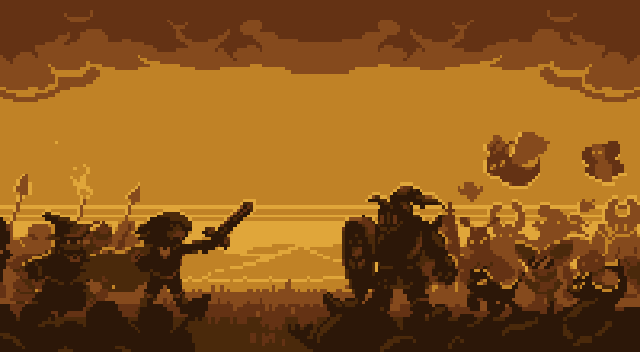
Resolve encounters without killing. Look for clues in your opponents’ dialogue, make use of ACT, and keep dodging until you can use MERCY. If this is the route you want, approach every encounter with that goal from the start.
Let each encounter play out on its own terms. A run with a mix of choices can lead to a Neutral outcome. This is a reasonable first run if you want to see how the world responds to the decisions you make along the way.
Deliberately seek out and defeat monsters as you progress. This path has specific encounter requirements across areas and changes the tone of the story. A single fight by itself does not commit the run to this route.
Routes affect more than the final sequence. Characters can react differently, an area can feel unfamiliar on a second visit, and the path through later encounters can change. Pick one broad approach on your first run if you want to see it through, and save detailed requirements for later if you would rather discover the consequences in-game.
When the battle menu appears, take a moment to look at your options. ACT can reveal a response or change an opponent’s mood. MERCY becomes useful when the encounter gives you a way to end it peacefully. ITEM is where you use healing you have already collected. FIGHT asks you to engage with its timing prompt, and it can alter which route remains open.
On defense, watch where the next obstacle enters the box. Make short movements when the safe space is small, then move again when the pattern changes. If a turn overwhelms you, try reading the first wave before committing to a direction. The same key used to walk through a doorway also controls the yellow SOUL in the box.
For a Pacifist run, use a simple first-turn routine. Read the opponent’s cues, test an ACT choice, and watch what changes in the next enemy turn. If an action appears to help, check whether MERCY is available. If you keep losing health while testing options, use an item on a safe turn and give yourself more time to learn the sequence.
Read signs and talk to monsters before leaving a room. A line that sounds like a joke can also help you understand a puzzle or a character’s motive. The Underground has quiet stretches between battles, so use those moments to check inventory, look for a save point, and get your bearings before moving into the next area.
When a puzzle blocks the way, try circling back through the room before repeatedly interacting with the same object. Look for a visual pattern, a sign, or a nearby character. It is easier to follow a clue while the room is still fresh in your mind.
Expect a new cast around familiar Undertale ideas. The story is built around Clover’s choices, and the game can reveal details about the world of the original. If you plan to play both and care about spoilers, start with Undertale even though this story takes place earlier.
The official launch trailer gives a look at Clover’s story and the Underground. It runs for 1 minute and 11 seconds.

Official trailer on YouTube
Yes. The player above runs a community browser port. The screenshots show the Shades of Justice build. Check the title screen before following a walkthrough, since an encounter or puzzle can differ by version. Team Undertale Yellow publishes the official desktop release on Game Jolt and IndieDB.
Team Undertale Yellow made it as a fan prequel to Toby Fox’s Undertale. Clover has a separate story set before the original, with new characters, music, puzzles, and encounters.
Yes. Take the Pacifist approach from the start. Learn what ACT options do in each encounter, dodge attacks, and look for a chance to spare the monster. If you accidentally confirm a choice you did not intend, check your latest save before continuing.
There are three main routes: Pacifist, Neutral, and Genocide. The fights you finish and the choices you make determine how the run develops. An ending can also differ within a route.
The main story follows a new protagonist and can be understood on its own. Team Undertale Yellow recommends the game to people familiar with Undertale because it contains some spoilers and has a higher difficulty.
Watch the pattern for a turn, use shorter dodges, and check whether you have a healing item. Easy Mode reduces damage, and other accessibility settings can help with screen shake, repeated firing, or a rhythm sequence.